

Scratch - Teach Computer Programming in Schools
8 votes
Free
|
||
|
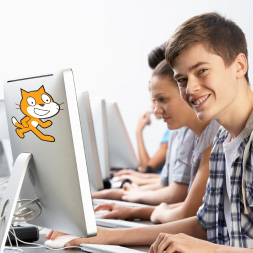
Scratch is a graphical programming language developed at the Massachusetts Institute of Technology (MIT) Media Lab. Scratch takes advantage of advances in computing power and interface design to make computer programming more engaging and accessible for children, teens, and others who are learning to program. The Scratch software application is freely available and makes it easy to create interactive stories, animations, games, music, and art, and share these creations on the Web. Scratch is used worldwide by teachers to teach the basics of computer programming and as young people create and share Scratch projects, they learn important mathematical and computational ideas, while also learning to think creatively, reason systematically, and work collaboratively. This free online course introduces you to Scratch and its advantages in an educational setting, reviews the features and functions of the Scratch interface, and how to program using the Scratch software application. This course will be of great interest to teachers and parents who want their children to become familiar with computer programming concepts. <br /> Categories:
|

|
AlternativesIf you know any alternatives, please let us know. PrerequisitesIf you can suggest any prerequisite, please let us know. Certification Exams-- there are no exams to get certification after this course --If your company does certification for those who completed this course then register your company as certification vendor and add your exams to the Exams Directory. StudentsPeople who learned this course or plan to learn. These people added the course to their Education Passport or their Personal Education Path.  Ada Crutchfield
If you learned this course or plan to learn then add it to your Personal Education Path or your Education Passport | ||
Add to calendar

Let us know when you did the course Scratch - Teach Computer Programming in Schools.

Add the course Scratch - Teach Computer Programming in Schools to My Personal Education Path.
Select what exam to connect to the course. The course will be displayed on the exam page in the list of courses supported for certification with the exam.