

Courses tagged with "Free to Access" (17)

This project is a low cost robot made from every day items that are taken apart and described in the reverse engineering section. 1. Bit-zee. 2. Bit-zee (long version). 3. Bit-zee Bot Introduction. 4. Bit-zee planning and propulsion. 5. Bit-zee's bits. 6. Bit-zee's chassis/frame. 7. Bit-zee's wheel mounts and fenders. 8. Bit-zee's component mounting holes. 9. Bit-zee's batteries. 10. Improving the battery wires. 11. Connecting Bit-zee's power wires and on-off switch. 12. Bit-zee's motors. 13. Why does Bit-zee need a motor controller?. 14. Bit-zee's motor controller. 15. Attaching and wiring Bit-zee's motor controller. 16. Attaching Bit-zee's Arduino. 17. How to hotwire a digital camera. 18. Attaching Bit-zee's digital camera. 19. Bit zee's 5 Volt power distribution board. 20. Hacking and attaching a digital recorder/player to Bit-zee. 21. Making a power connector for the Arduino. 22. Attaching Bit-zee's prototype board. 23. Connecting the motor controller to the Arduino. 24. Connecting Bit-zee's camera to the Arduino. 25. Bit-zee's bumper switches. 26. Bit-zee's eyes. 27. Bit-zee's IR sensor. 28. Bit-zee's shell. 29. Camera wiring update.
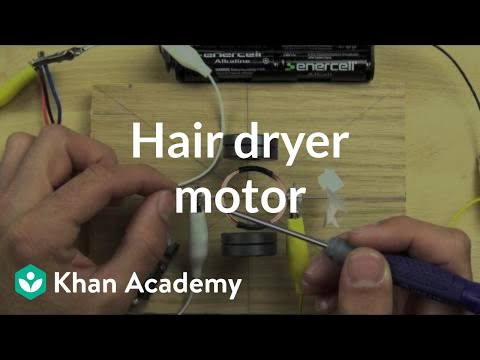
In this section we investigate how dc motors work and what is inside of them. Brushed DC motor explained. Build your own motor. Compare the hair dryer motor to the one you can build.
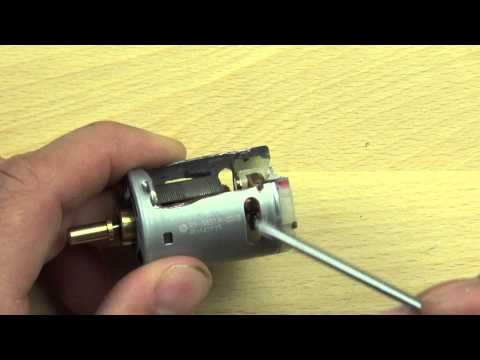
Brushed DC motor explained. Build your own motor. Compare the hair dryer motor to the one you can build.
Rediscover the most important observations in history. Discovery of Magnetism. Compass: which way is north?. Floating Magnet. Compass Build (stroke direction). Compass Build (magnet orientation). Neutralize a Compass. Compass Interactions. Magnetising materials. What's Next?. Magnet near Compass. Tracing a Magnetic Field. Tracing a magnetic field. Discovery of Magnetic Fields. Magnet and iron filings. Magnetic field. 3D magnet with field. Magnetic Permeability. Increase Strength of Magnet. What's Next?. Are 2 magnets stronger than 1?. Measure the Earth!. Earth's Magnetic Field (how to measure). Force over Distance. Inverse Square Law (deflection method). Inverse Square Relationship. Inverse Square Law (Method of Oscillation). Zinc Copper cell (reduction-oxidation). How to Measure?. Battery Meter (Galvanometer). How Many Turns?. Electrolyte Test (pure water vs. vinegar). Reverse Electrodes (polarity). Electrolyte (strong acid test). Electrolyte (salt test). Electrode (distance test). Electrolyte (temperature test). Electrode (surface area test). Standard Cell. How much electrolyte does a single cell need?. What's Next?. Discovery of Electromagnetism. Experiment: Electromangetism. Electromagnetic Field (above vs. below). Electromagnetic Field (forward vs. reverse). Electromagnetic Field (loop). Right-Hand Rule. Battery Meter (Galvanometer). Series Load. Pencil Resistor. Variable Resistor (Pencil). Listen to Variable Resistance. What's Next?. Electromagnet (construction tip). Electromagnet (penny powered). Understanding Force. Spinning Compass. Build your own motor. What's Next. Discovery of Triboelectric effect. Pith Ball Electroscope. Foil Leaf Electroscope. What's Next?. Discovery of Magnetism. Compass: which way is north?. Floating Magnet. Compass Build (stroke direction). Compass Build (magnet orientation). Neutralize a Compass. Compass Interactions. Magnetising materials. What's Next?. Magnet near Compass. Tracing a Magnetic Field. Tracing a magnetic field. Discovery of Magnetic Fields. Magnet and iron filings. Magnetic field. 3D magnet with field. Magnetic Permeability. Increase Strength of Magnet. What's Next?. Are 2 magnets stronger than 1?. Measure the Earth!. Earth's Magnetic Field (how to measure). Force over Distance. Inverse Square Law (deflection method). Inverse Square Relationship. Inverse Square Law (Method of Oscillation). Zinc Copper cell (reduction-oxidation). How to Measure?. Battery Meter (Galvanometer). How Many Turns?. Electrolyte Test (pure water vs. vinegar). Reverse Electrodes (polarity). Electrolyte (strong acid test). Electrolyte (salt test). Electrode (distance test). Electrolyte (temperature test). Electrode (surface area test). Standard Cell. How much electrolyte does a single cell need?. What's Next?. Discovery of Electromagnetism. Experiment: Electromangetism. Electromagnetic Field (above vs. below). Electromagnetic Field (forward vs. reverse). Electromagnetic Field (loop). Right-Hand Rule. Battery Meter (Galvanometer). Series Load. Pencil Resistor. Variable Resistor (Pencil). Listen to Variable Resistance. What's Next?. Electromagnet (construction tip). Electromagnet (penny powered). Understanding Force. Spinning Compass. Build your own motor. What's Next. Discovery of Triboelectric effect. Pith Ball Electroscope. Foil Leaf Electroscope. What's Next?.
Reenact the discovery of electromagnetism. The Magic of Discovery. Discovery of Magnetism. Discovery of Magnetic Fields. Electromagnet.

1. Bit-zee. 2. Bit-zee (long version). 3. Bit-zee Bot Introduction. 4. Bit-zee planning and propulsion. 5. Bit-zee's bits. 6. Bit-zee's chassis/frame. 7. Bit-zee's wheel mounts and fenders. 8. Bit-zee's component mounting holes. 9. Bit-zee's batteries. 10. Improving the battery wires. 11. Connecting Bit-zee's power wires and on-off switch. 12. Bit-zee's motors. 13. Why does Bit-zee need a motor controller?. 14. Bit-zee's motor controller. 15. Attaching and wiring Bit-zee's motor controller. 16. Attaching Bit-zee's Arduino. 17. How to hotwire a digital camera. 18. Attaching Bit-zee's digital camera. 19. Bit zee's 5 Volt power distribution board. 20. Hacking and attaching a digital recorder/player to Bit-zee. 21. Making a power connector for the Arduino. 22. Attaching Bit-zee's prototype board. 23. Connecting the motor controller to the Arduino. 24. Connecting Bit-zee's camera to the Arduino. 25. Bit-zee's bumper switches. 26. Bit-zee's eyes. 27. Bit-zee's IR sensor. 28. Bit-zee's shell. 29. Camera wiring update.
This topic focuses on how to design and create products that solve real problems and bring academic content to life. Ping pong ball launcher introduction. Build a ping pong ball launcher . Update and modify your ping pong ball launcher.

This topic focuses on how to design and create products that solve real problems and bring academic content to life. Ping pong ball launcher introduction. Build a ping pong ball launcher . Update and modify your ping pong ball launcher.
Ping pong ball launcher introduction. Build a ping pong ball launcher . Update and modify your ping pong ball launcher. Ping pong ball launcher introduction. Build a ping pong ball launcher . Update and modify your ping pong ball launcher.
Videos exploring the way things work. These videos have recently been updated to include 1080p HD versions. What is inside an alarm clock radio?. What is inside a hair dryer? (1 of 2). What is inside a hair dryer? (2 of 2). What is inside a digital camera? (1 of 2). What is inside a digital camera? (2 of 2). What is inside a coffee maker?. What is inside a DVD player? (1 of 5). What is inside a DVD player? (2 of 5). What is inside a DVD player? (3 of 5). What is inside a DVD player? (4 of 5). What is inside a DVD player? (5 of 5). What is inside a universal remote control?. What is inside a tap light?.

Videos exploring the way things work. What is inside an alarm clock radio?. What is inside a coffee maker?. What is inside a tap light?. What is inside a hair dryer? (1 of 2). What is inside a hair dryer? (2 of 2). Compare the hair dryer motor to the one you can build. What is inside a DVD player? (1 of 5). What is inside a DVD player? (2 of 5). What is inside a DVD player? (3 of 5). What is inside a DVD player? (4 of 5). What is inside a DVD player? (5 of 5). What is inside a universal remote control?. What is inside a digital camera? (1 of 2). What is inside a digital camera? (2 of 2). What is inside an alarm clock radio?. What is inside a coffee maker?. What is inside a tap light?. What is inside a hair dryer? (1 of 2). What is inside a hair dryer? (2 of 2). Compare the hair dryer motor to the one you can build. What is inside a DVD player? (1 of 5). What is inside a DVD player? (2 of 5). What is inside a DVD player? (3 of 5). What is inside a DVD player? (4 of 5). What is inside a DVD player? (5 of 5). What is inside a universal remote control?. What is inside a digital camera? (1 of 2). What is inside a digital camera? (2 of 2).

Start your own robotics project with Spout, Spider, and Bit-zee!. 3rd graders build robots at Santa Rita Elementary School. See inside Spout's motors and switches. Spout 1. Spout 2. Spout 3. Spout 4. Spout 5. Spout 6. Spout 7. Spout 8. Spout 9. Spout 10. Spout 11. 6th graders learn to build a Spider robot. Parts list for Spider. 1 Spider parts and tools. 2 Hacking Spider's click n' stick. 3 Creating the battery and motor mounts for Spider. 4 Attach Spider's click n' stick base to the batteries and thread his wires. 5 Attach Spider's motor controller and wire his motors. 6 Connect Spider's power switch and run the power wires to the motor controller. 7 Attach and adjust the Spider's bezel. 8 Attach Spider's wheels. 9 Make the connnectors for Spider's Arduino Nano. 10 Spider Connect the power and signal wires from the motor controller to the Arduino. 11 Attach Spider's LED eyes. 12 Connect Spider's stablizer bar. 13 Spider's Romance. 14 Teaching Spider to dance. 15 Ben Eater's Spider Bot. 1. Bit-zee. 2. Bit-zee (long version). 3. Bit-zee Bot Introduction. 4. Bit-zee planning and propulsion. 5. Bit-zee's bits. 6. Bit-zee's chassis/frame. 7. Bit-zee's wheel mounts and fenders. 8. Bit-zee's component mounting holes. 9. Bit-zee's batteries. 10. Improving the battery wires. 11. Connecting Bit-zee's power wires and on-off switch. 12. Bit-zee's motors. 13. Why does Bit-zee need a motor controller?. 14. Bit-zee's motor controller. 15. Attaching and wiring Bit-zee's motor controller. 16. Attaching Bit-zee's Arduino. 17. How to hotwire a digital camera. 18. Attaching Bit-zee's digital camera. 19. Bit zee's 5 Volt power distribution board. 20. Hacking and attaching a digital recorder/player to Bit-zee. 21. Making a power connector for the Arduino. 22. Attaching Bit-zee's prototype board. 23. Connecting the motor controller to the Arduino. 24. Connecting Bit-zee's camera to the Arduino. 25. Bit-zee's bumper switches. 26. Bit-zee's eyes. 27. Bit-zee's IR sensor. 28. Bit-zee's shell. 29. Camera wiring update. 30. Load the Code for It-zee and Bit-zee. 1 Spout Introduction. 2 Attach Spout's lever switches and motors. 3 Attach Spout's wires and connectors. 4 Attach Spout's sliding switches and resistors. 5 Connect Spout's antenna. 6 Attach Spout's LED eyes. See inside Spout's motors and switches. 3rd graders build robots at Santa Rita Elementary School. See inside Spout's motors and switches. Spout 1. Spout 2. Spout 3. Spout 4. Spout 5. Spout 6. Spout 7. Spout 8. Spout 9. Spout 10. Spout 11. 6th graders learn to build a Spider robot. Parts list for Spider. 1 Spider parts and tools. 2 Hacking Spider's click n' stick. 3 Creating the battery and motor mounts for Spider. 4 Attach Spider's click n' stick base to the batteries and thread his wires. 5 Attach Spider's motor controller and wire his motors. 6 Connect Spider's power switch and run the power wires to the motor controller. 7 Attach and adjust the Spider's bezel. 8 Attach Spider's wheels. 9 Make the connnectors for Spider's Arduino Nano. 10 Spider Connect the power and signal wires from the motor controller to the Arduino. 11 Attach Spider's LED eyes. 12 Connect Spider's stablizer bar. 13 Spider's Romance. 14 Teaching Spider to dance. 15 Ben Eater's Spider Bot. 1. Bit-zee. 2. Bit-zee (long version). 3. Bit-zee Bot Introduction. 4. Bit-zee planning and propulsion. 5. Bit-zee's bits. 6. Bit-zee's chassis/frame. 7. Bit-zee's wheel mounts and fenders. 8. Bit-zee's component mounting holes. 9. Bit-zee's batteries. 10. Improving the battery wires. 11. Connecting Bit-zee's power wires and on-off switch. 12. Bit-zee's motors. 13. Why does Bit-zee need a motor controller?. 14. Bit-zee's motor controller. 15. Attaching and wiring Bit-zee's motor controller. 16. Attaching Bit-zee's Arduino. 17. How to hotwire a digital camera. 18. Attaching Bit-zee's digital camera. 19. Bit zee's 5 Volt power distribution board. 20. Hacking and attaching a digital recorder/player to Bit-zee. 21. Making a power connector for the Arduino. 22. Attaching Bit-zee's prototype board. 23. Connecting the motor controller to the Arduino. 24. Connecting Bit-zee's camera to the Arduino. 25. Bit-zee's bumper switches. 26. Bit-zee's eyes. 27. Bit-zee's IR sensor. 28. Bit-zee's shell. 29. Camera wiring update. 30. Load the Code for It-zee and Bit-zee. 1 Spout Introduction. 2 Attach Spout's lever switches and motors. 3 Attach Spout's wires and connectors. 4 Attach Spout's sliding switches and resistors. 5 Connect Spout's antenna. 6 Attach Spout's LED eyes. See inside Spout's motors and switches.
18. Attaching Bit-zee's digital camera.
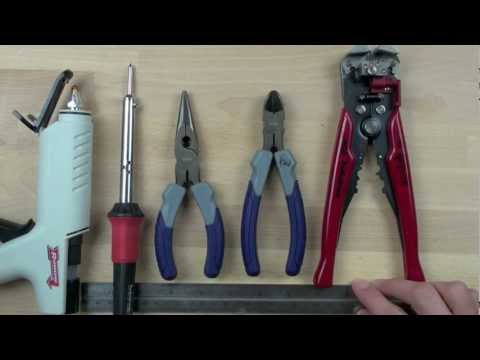
1 Spout Introduction. 2 Attach Spout's lever switches and motors. 3 Attach Spout's wires and connectors. 4 Attach Spout's sliding switches and resistors. 5 Connect Spout's antenna. 6 Attach Spout's LED eyes. 7 See inside Spout's motors and switches.

Thermo Can.
Thermo Can.
Thermo Can. Thermo Can.
Add to calendar

Trusted paper writing service WriteMyPaper.Today will write the papers of any difficulty.